Notion template · $99

Maestro Mind
Dashboard

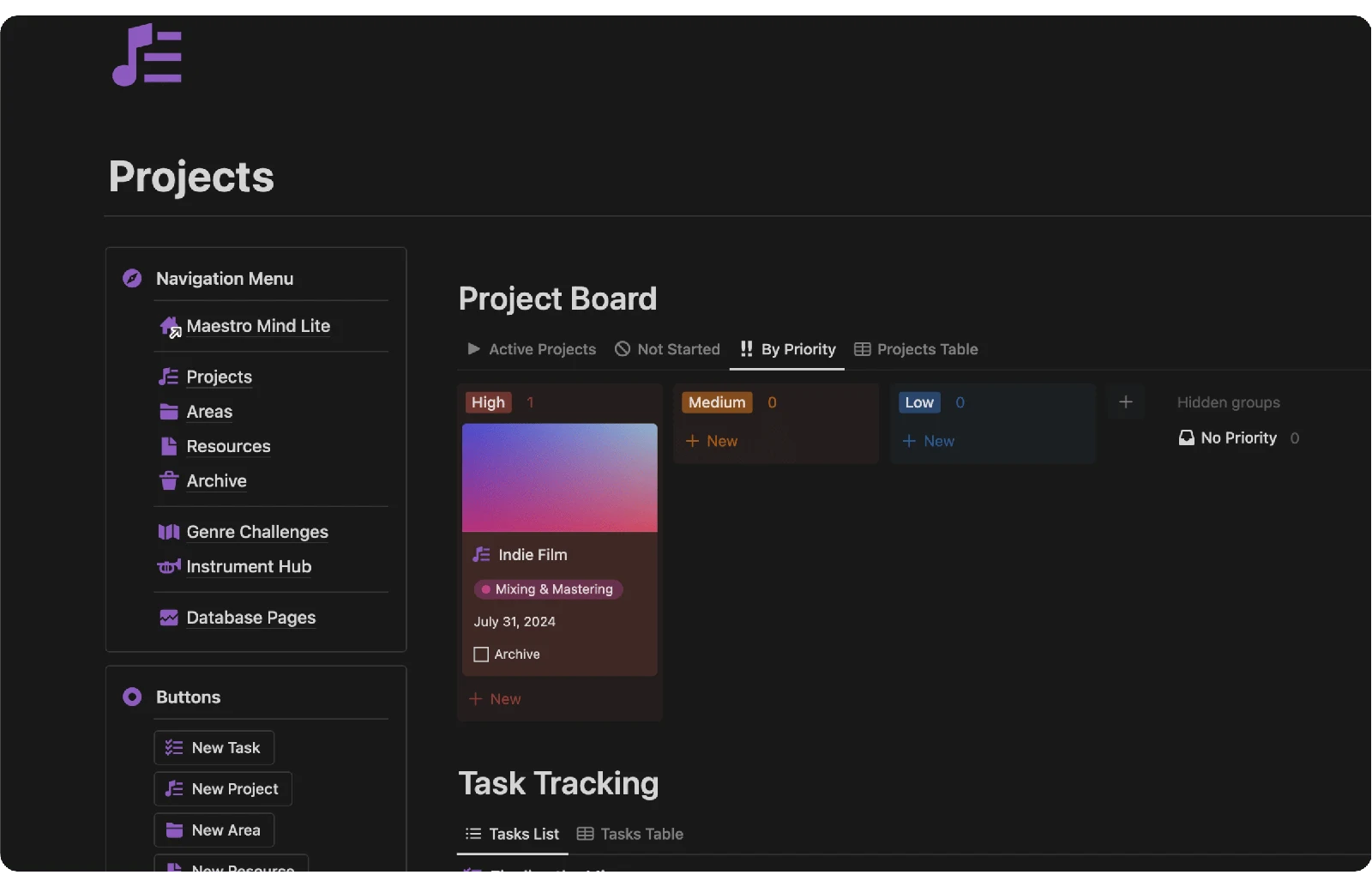
A place to organize your composing projects, explore new genres, and keep track of the instruments that inspire you.

Get the Dashboard

One-time purchase · Duplicate into your own Notion workspace

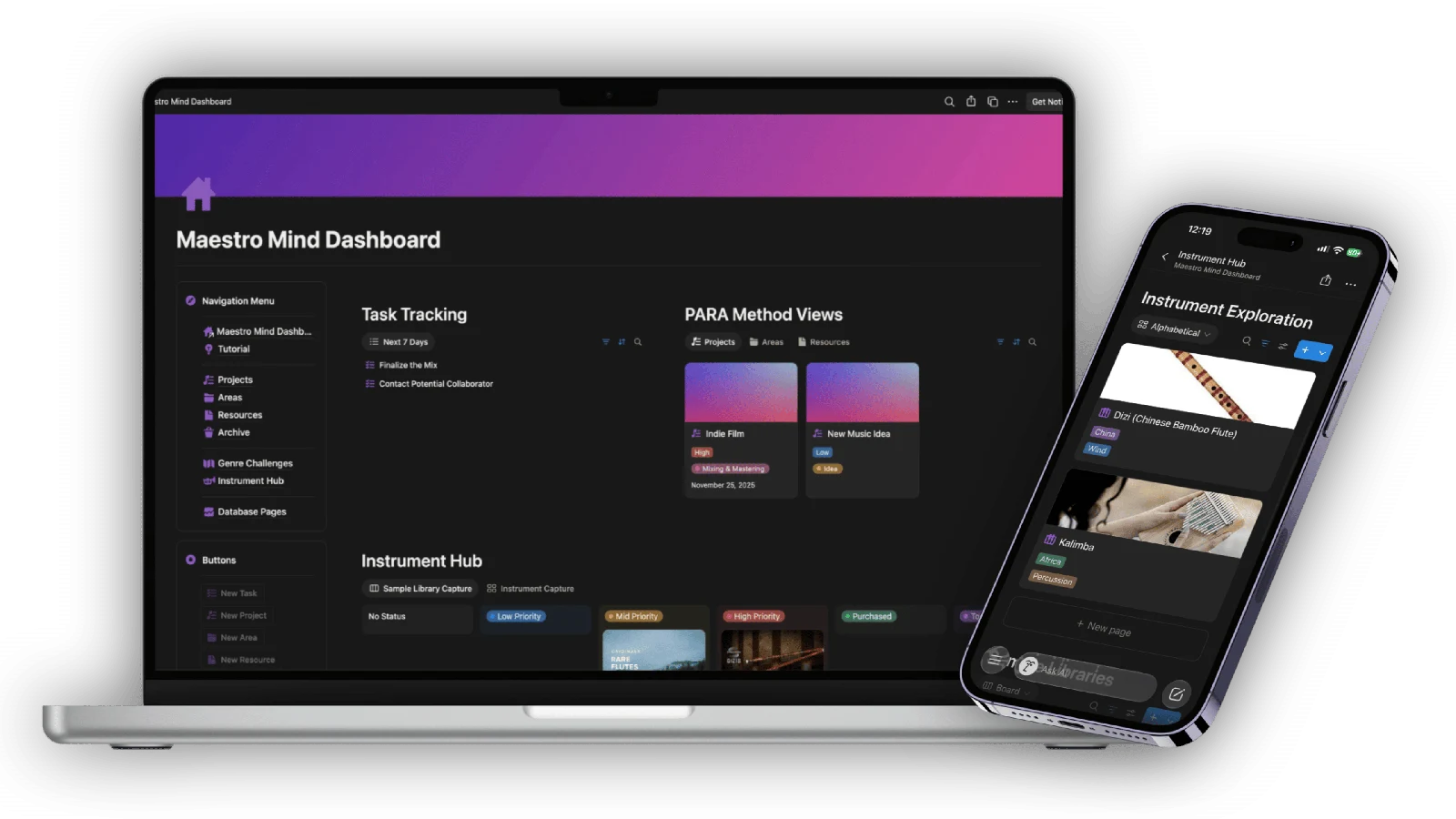
Maestro Mind Dashboard on a laptop and phone

Exploring the Maestro Mind Dashboard

Simple tools.
Space to compose.

As a composer, I understand the challenges of staying organized, finding inspiration, and managing countless ideas! That’s why I created the Maestro Mind Dashboard—a simple, effective tool designed to help any composer streamline their workflow, explore new genres, and keep track of important projects and instruments.

This Notion template is all about using simple tools to achieve great results. With the Maestro Mind Dashboard, you’ll have a place to keep track of your most important tasks and feel encouraged to compose, practice, and grow. Whether you’re just starting out or looking to enhance your workflow, the Maestro Mind Dashboard has you covered.

Check out what’s inside

Maestro Mind Dashboard

Stay Organized with the PARA Method

Stay Organized with the PARA Method

The PARA Method, developed by Tiago Forte, is an incredible system for organizing your life and work! PARA stands for Projects, Areas, Resources, and Archives. No more endless, confusing sub-folders—just a simple, effective way to manage your tasks and resources. With the Maestro Mind Dashboard, you can apply the PARA Method to your composing career, making it easier than ever to stay organized and productive!

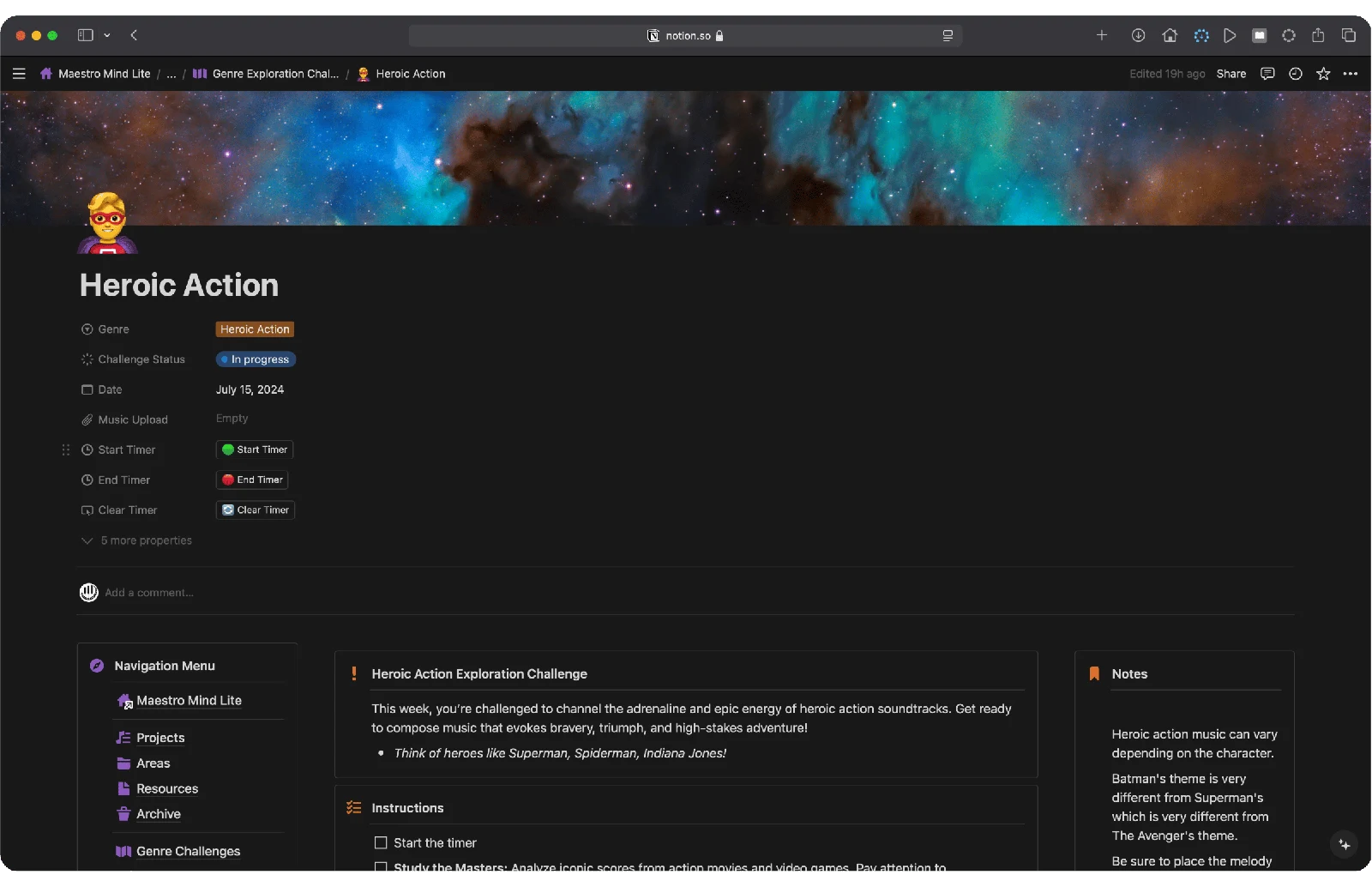
Practice Composing with Weekly Genre Challenges

Practice Composing with Weekly Genre Challenges

Genre Exploration Challenges refresh every week, encouraging you to practice writing in different genres over an 8-week cycle. Inspired by my free Film Composer’s Recipe Book, these challenges help you take actionable steps to compose in styles like Action, Fantasy, Horror, and more. Every Monday, a new challenge appears, complete with tips and steps to guide your writing process, perfect for composers looking to diversify their portfolio and hone their skills in different genres!

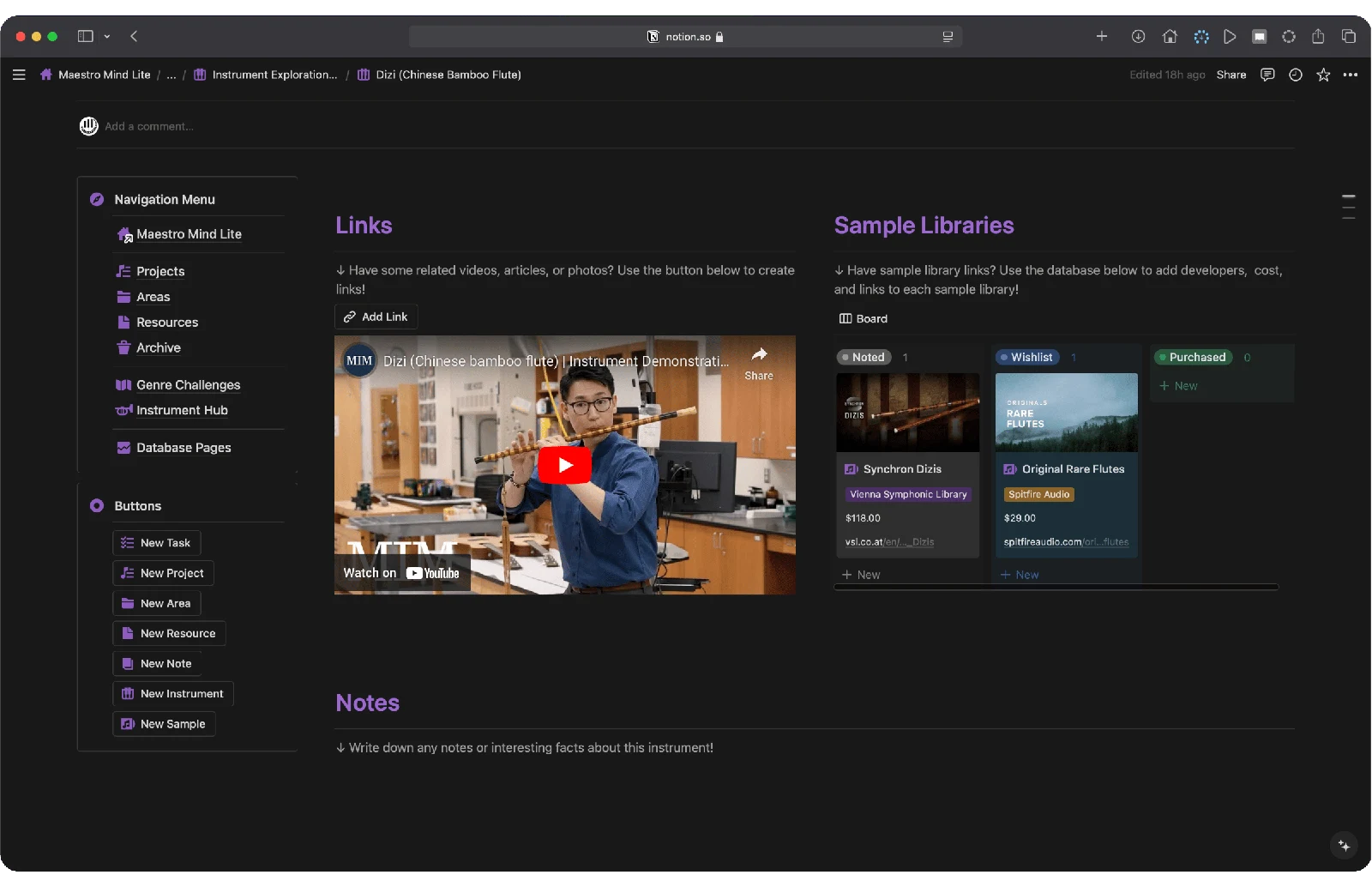
Keep Track of Instruments and Sample Libraries with Ease

Keep Track of Instruments and Sample Libraries with Ease

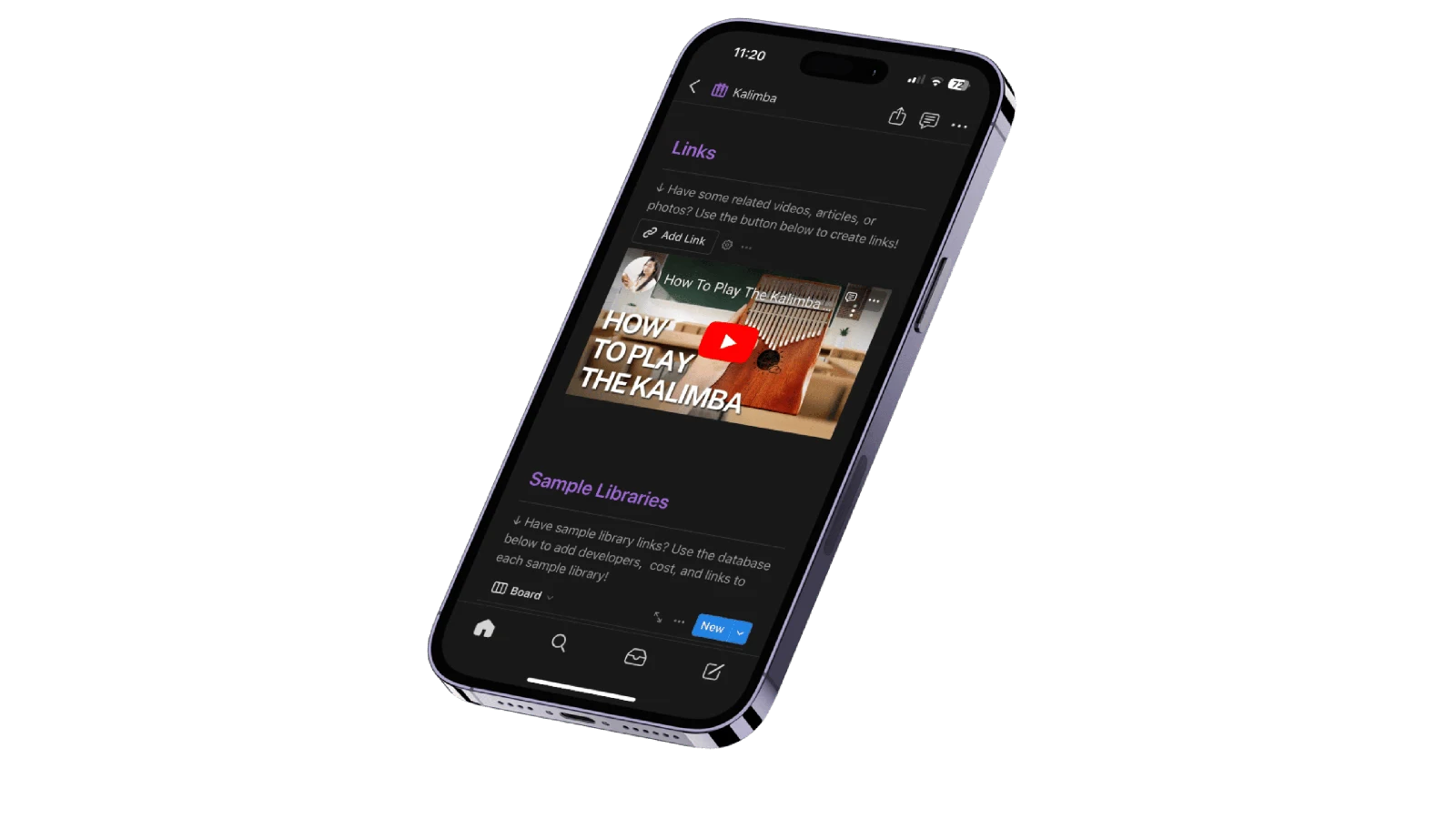
The Instrument Hub is your go-to place for logging new instruments and sample libraries. Easily add new instruments with the click of a button, take notes, and embed links to articles, videos, or other documents. Connect each instrument with its associated sample library, and manage your Sample Library Wishlist. This feature is ideal for composers looking to expand beyond the typical orchestral lineup and keep their tools and resources organized.

Maestro Mind Dashboard instrument exploration on a phone

The story behind the Dashboard

Make room for
your music.

I created the Maestro Mind Dashboard because I know what it's like to feel overwhelmed by a lack of inspiration, chaotic organization, & uncertainty about where to even begin. We want to write music that resonates with people, but it feels like we're lacking experience or the best tools to achieve our goals!

This template is designed with you in mind, addressing these issues at the very core. It’s easy to get bogged down by endless options out there or believe that the next expensive sample library will somehow fix your music.

The truth is, organizing your existing tools and consistent practice will make the biggest difference. That’s why the PARA Method is integrated into this template—to help you focus on the projects, tasks, and areas of life that truly matter to you!

The Maestro Mind Dashboard gives you the space to practice writing in different genres and an easy way to track the instruments and libraries that inspire you. By keeping these areas of life simple, the Maestro Mind Dashboard helps you stay organized, inspired, and focused on creating great music.

This template is here to support you, providing the structure to grow and the inspiration to succeed in your composing journey!

Designed on Notion

A workspace
you can make your own.

Notion is a free to use, digital canvas for your thoughts, projects, and collaborations.

Imagine a space where you can seamlessly integrate text, images, videos, and more. Notion's customizable interface lets you design, rearrange, and nest pages, so that everything is right where you need it!

The Maestro Mind Dashboard uses Notion as an all-in-one platform that streamlines your project management and individual databases!

Please note that I’m not a Notion expert and I don’t offer Notion customer service.

Before you get started

Your questions,
answered.

How Do I Get Started?

Before diving in, you'll first be prompted to create your very own copy of the Maestro Mind Dashboard!

Why duplicate? The original template website can't be edited directly. However, duplicating it places the Maestro Mind Dashboard into your account, allowing you to customize it without altering the master copy!

🚫 A Gentle Reminder: Sharing or duplicating links and resources with unauthorized individuals will lead to revoked access to the product.

Notion also has both a desktop and mobile app- this way you can take the Maestro Mind Dashboard with you wherever you go!

Do I Need a Paid Notion Account to Use This Template?

No, the Maestro Mind Dashboard works for all Notion plans (both paid and free!)

Now with that said, you will need to create a Notion account if you don't have one already. You can do so here via Google, Apple, or Email.

How Do Notion Templates Work?

In Notion, it's possible to make any page accessible to the public.

The Maestro Mind Dashboard is a comprehensive template encompassing various pages and databases.

When you integrate the template into your workspace, you'll obtain an exact replica that you can immediately begin customizing.

Please note that I am not a Notion expert and take no responsibility for any changes made to the template layout.

Do You Offer Notion Support?

I am not a Notion pro and do not offer Notion support.

For Notion specific support, please refer to the Notion Help Center for tutorials and videos!

What is the Refund Policy?

Digital downloads and duplicatable templates are final sale, except where a refund or another remedy is required by law or expressly offered at checkout. If you have questions before buying, email hello@robertrodriguezmusic.com.

Maestro Mind Dashboard

Get the Dashboard · $99

Notion account required · One-time purchase